Mobile AI Assistant

Project Management Institute Case Study
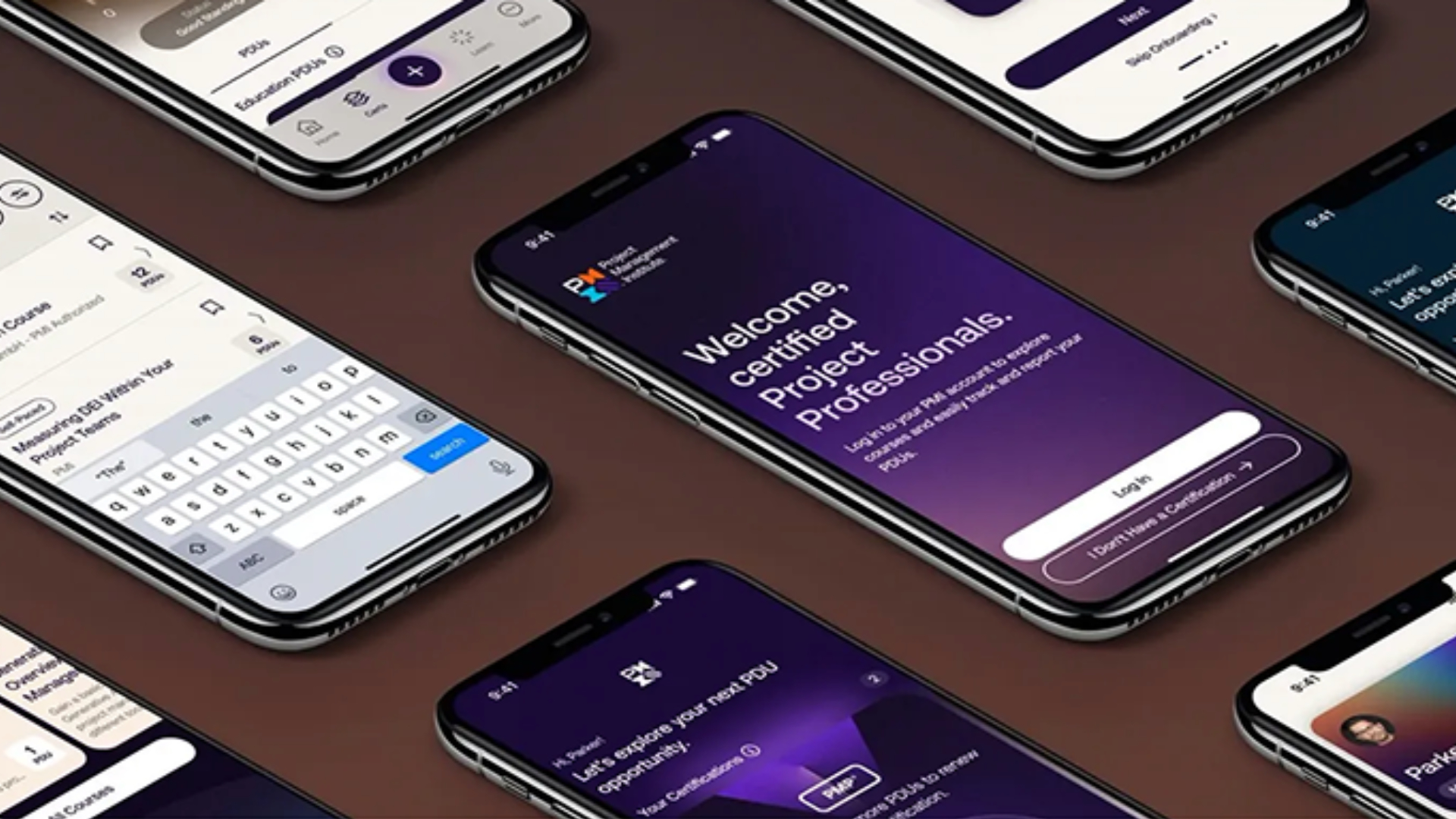
UPS Hero Image
My role
Feb 2025 - Present
  • Design research
  • Prototyping
  • UI/UX design
  • Visual design
Team
  • Chuck McQuilkin, Mobile Designer
  • Devaki Srinivasan, Project Manager
  • Sam Place, User Research

Project Overview

The product
In June 2025, we launched a new PMI Mobile app for iOS and Android. In November 2025 we added PMI's AI Assistant.
Project duration
February 2025 to Present
The problem
The Project Management Institute (PMI) faces a common engagement challenge: learners are most active when initially getting certified and again during their three-year renewal cycle. The PMI Official app was designed to support this pattern by helping users report PDUs (Professional Development Units) during renewal periods. However, PMI wanted to increase learner engagement throughout the entire certification lifecycle, not just at these key touchpoints.

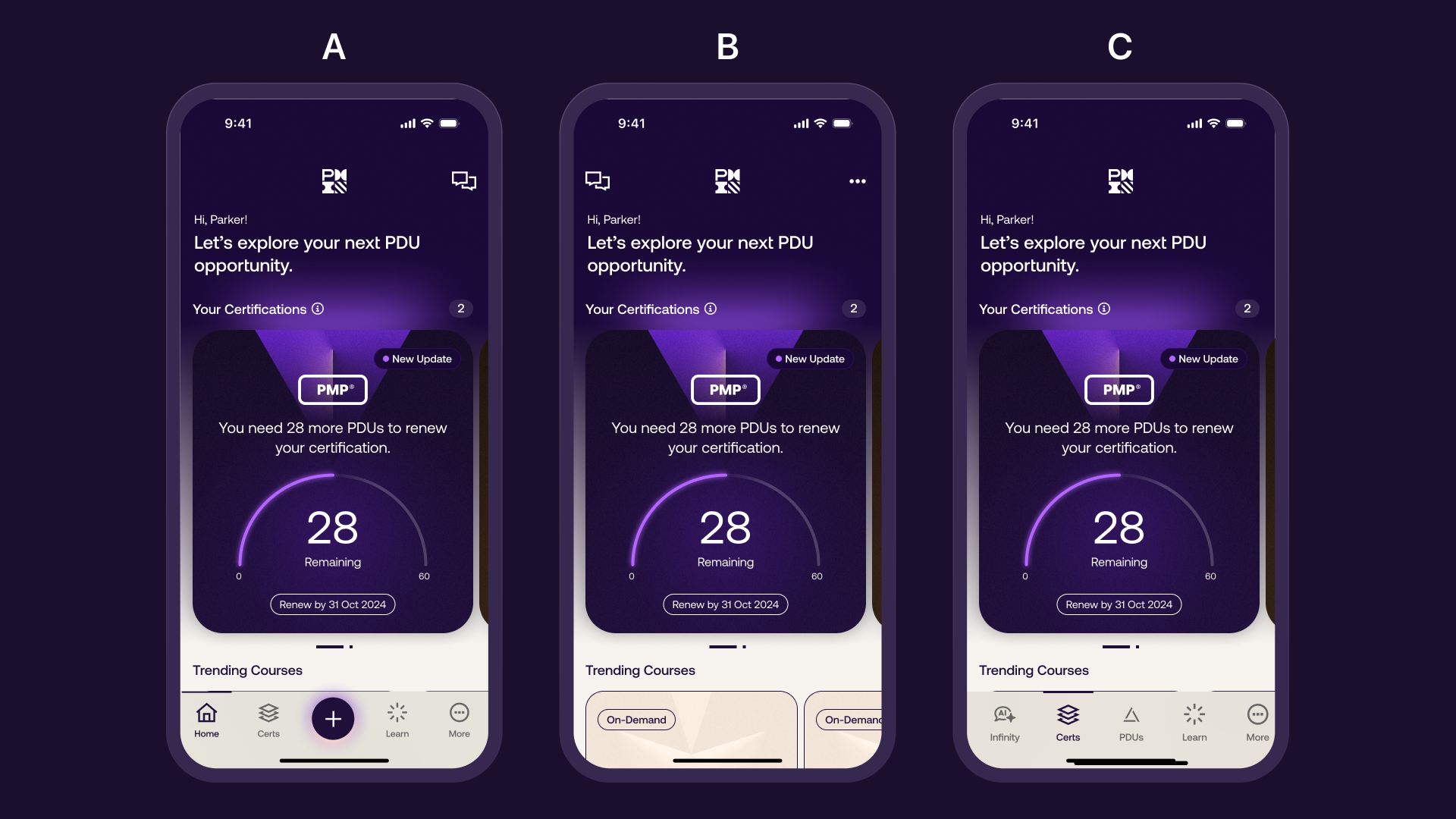
PMI's new AI assistant, Infinity, offered a solution to bridge these engagement gaps. The challenge was integrating Infinity into an existing native mobile app that AKQA had designed and built specifically for PDU submission. The original app featured a bottom tab bar with a prominent '+' button optimized for form-based interactions. I needed to retrofit this PDU-focused app to prioritize an AI chat experience while preserving the existing user flow for certification renewals.
The goal
Transform the mobile app's core functionality from PDU-focused to AI-assistant-centered while maintaining usability for existing features. The objective was to make Infinity the central feature that users would want as their default experience, while ensuring the AI assistant was instantly recognizable and accessible to users.
My role
Lead UX Designer responsible for integrating PMI's AI assistant into the existing mobile application. I worked directly with stakeholders to navigate the transition from a form-based app to an AI-first experience.
Responsibilities
  • Developed multiple sacrificial concepts to explore integration approaches
  • Created and tested three interactive prototypes with different AI assistant placements
  • Conducted user research and preference testing to validate design decisions
  • Advocated for improved AI iconography and labeling based on user feedback
  • Designed onboarding experiences, access flows, and trial mechanisms
  • Collaborated with development teams to ensure feasible implementation
Foundational User research
Pain points
  • Discoverablity Issues
  • Icon Recognition
  • Feature Hierarchy
  • Desktop-to-Mobile Translation
Post-Launch User research
Summary
I successfully transformed a PDU-submission app into an AI-first mobile experience through strategic design and user testing. The solution involved moving Infinity to the bottom tab bar as the default experience, redesigning iconography for instant AI recognition, and creating streamlined onboarding that minimizes friction. The approach prioritized user familiarity with AI chat patterns while removing barriers to productive interactions.

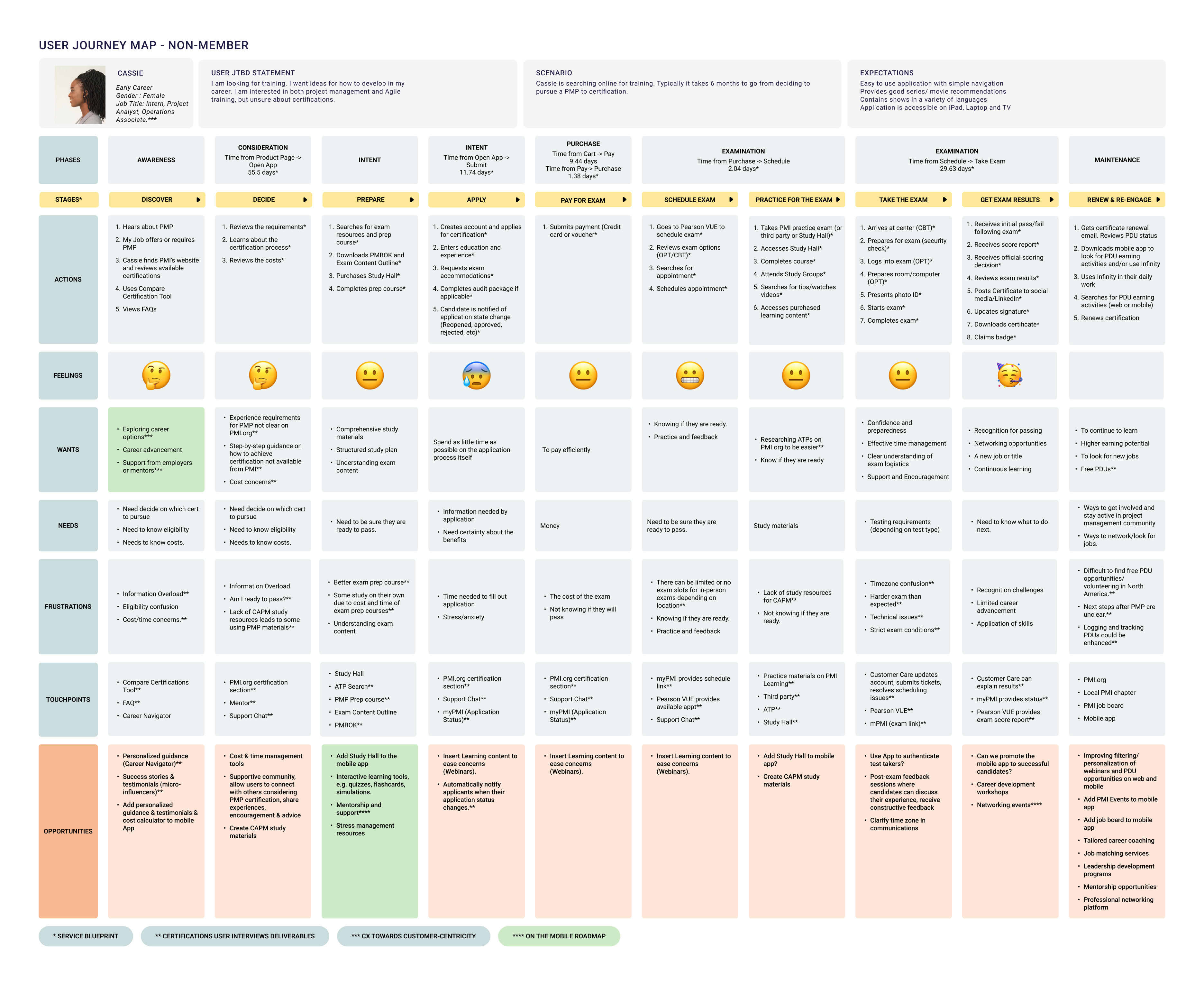
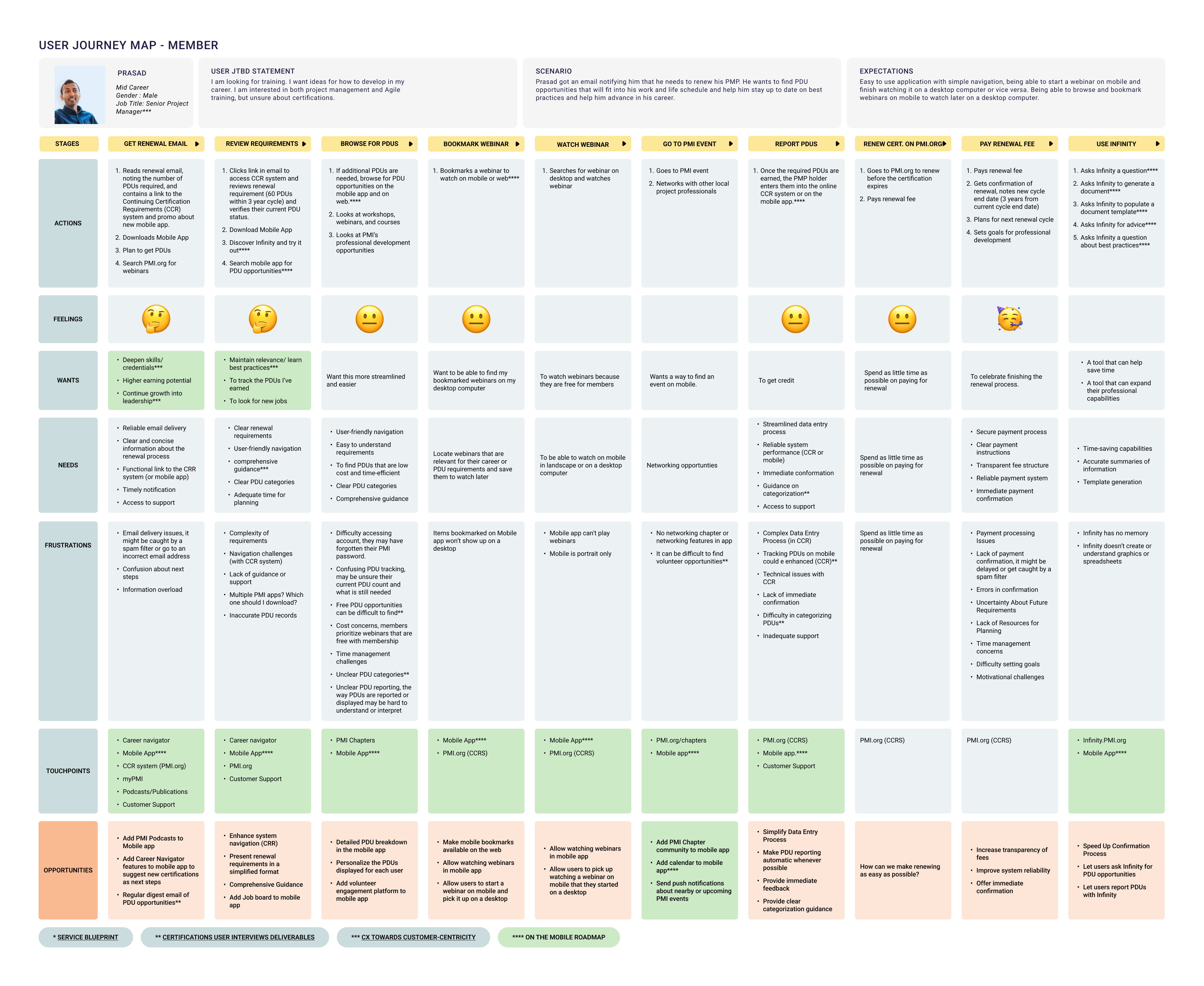
Journey Map

Non-member PersonaMember User Persona

Usablity Study Results

Card sort result tree chart
Above: Users preferred Option C with the Infinity AI Assistant in the bottom tab bar.
Below: I created 20 different Infinity logo options.
Card sort results table
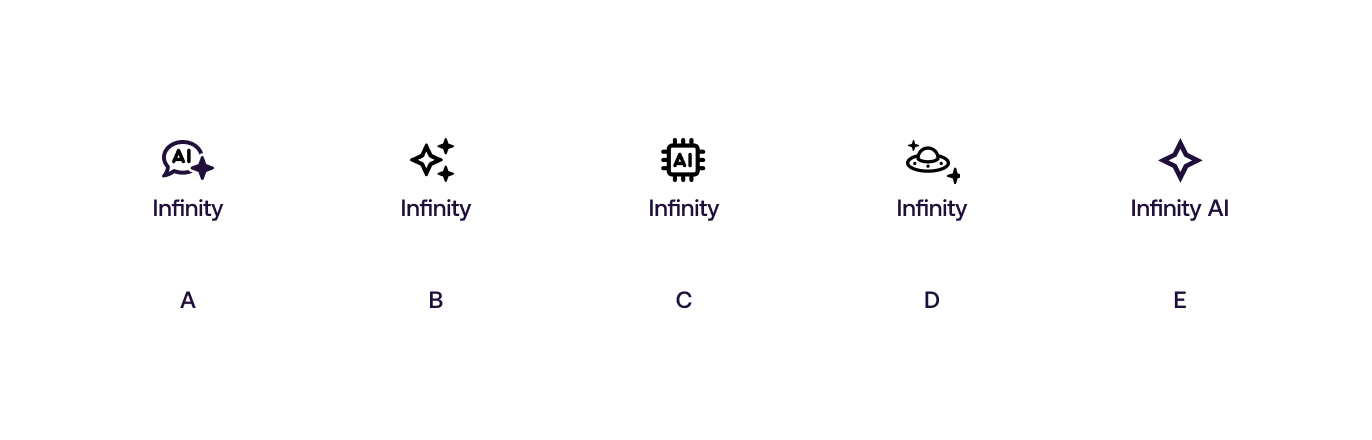
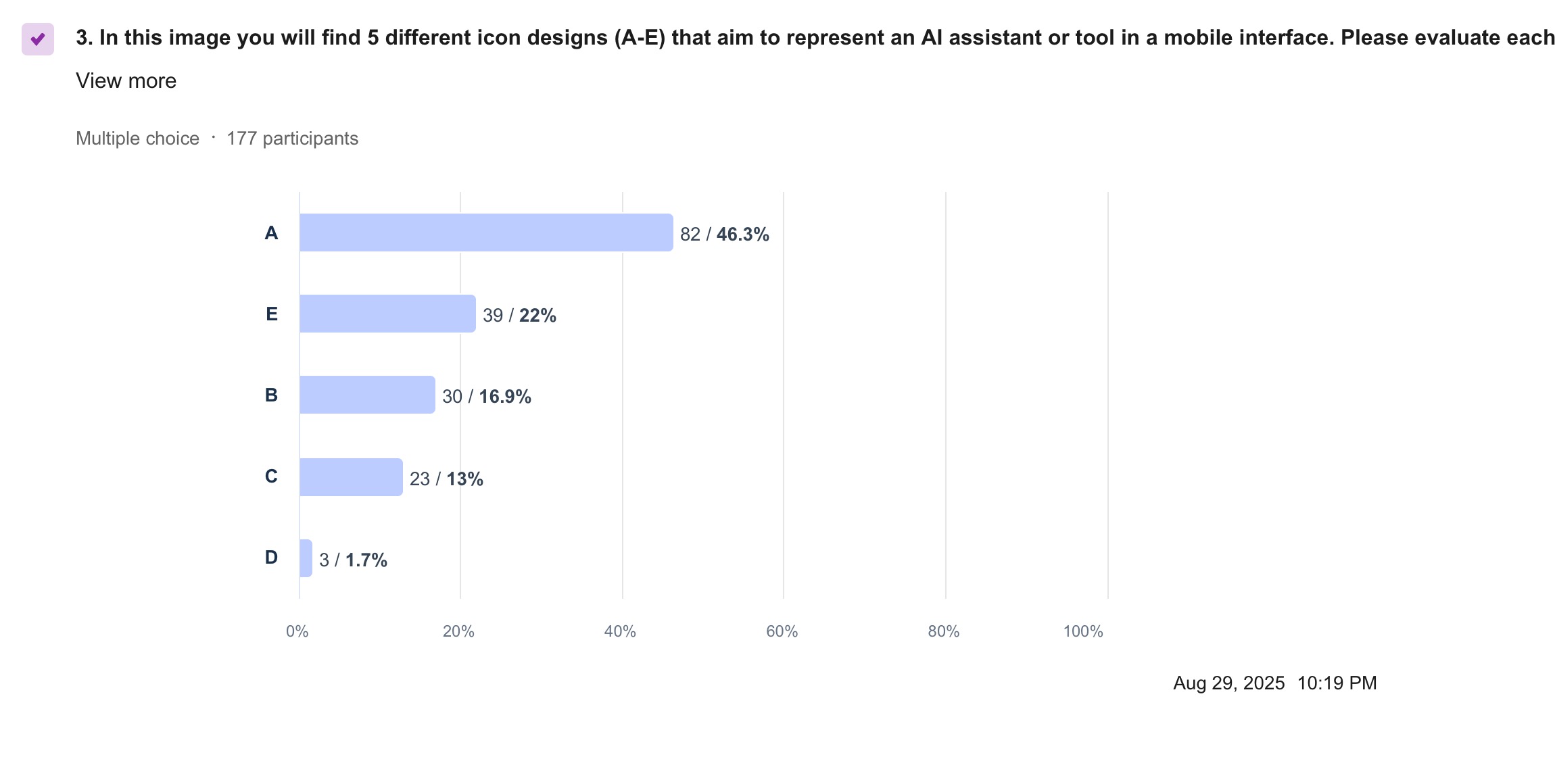
Below: Only five options were tested with users. A was preferred by a plurality of users in our test. This test helped develop the final icon design.
Card sort results tableCard sort results table

High-fidelity Designs

Infinity icon options
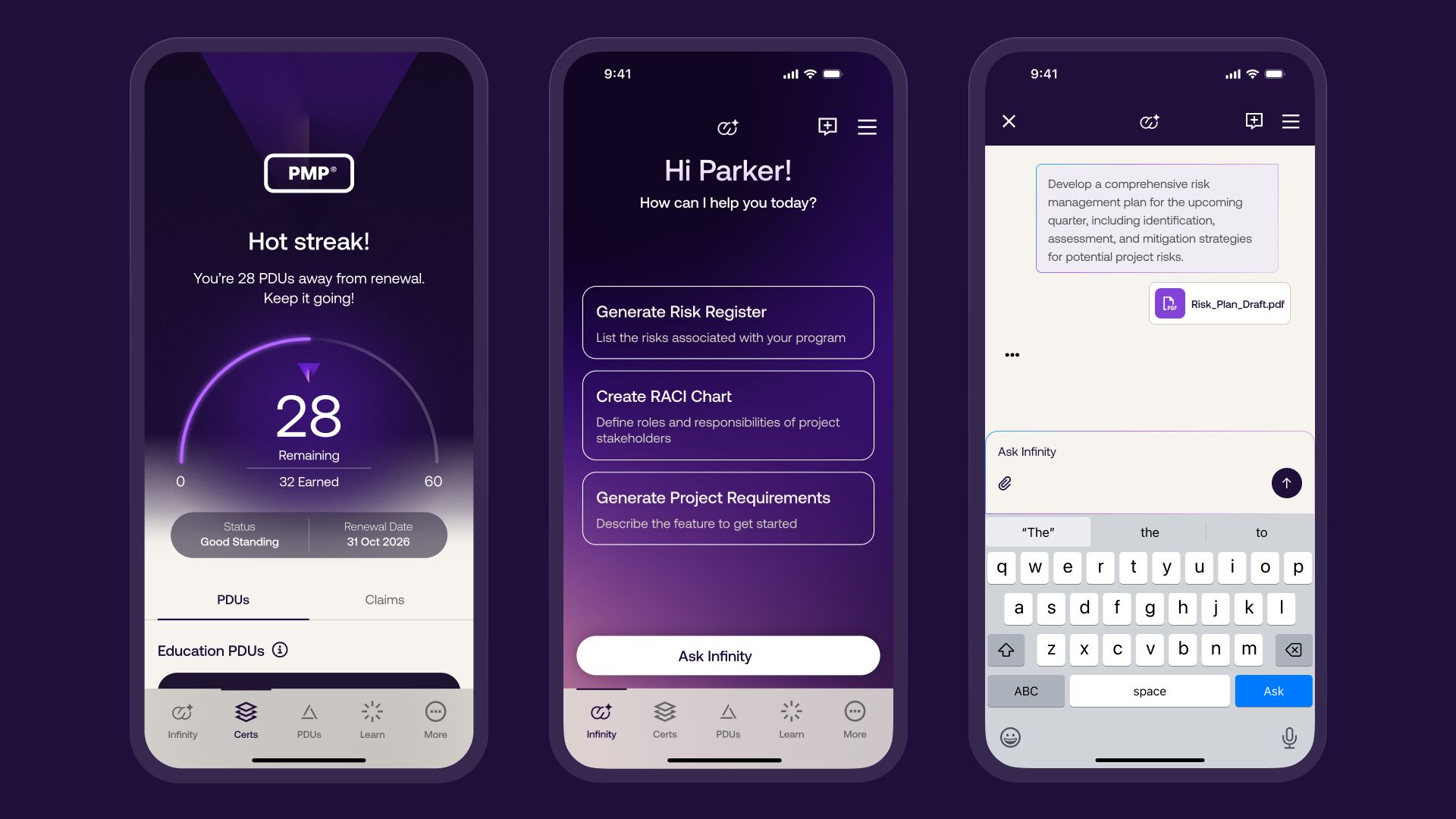
Above: The new certification tab, the Infinity tab and starting a new chat with Infinity.
High-fidelity prototype
The prototype shows Infinity AI in the PMI Official app.

PMI Infinity prototype
Takeaways

When designing for mobile and especially when designing an AI chatbot, less is more. Users are very familiar with the AI interface and recognize how helpful it can be to their work.

Next steps
  • Conduct another round of usability testing to validate that the user pain points have been adequately addressed.
  • Conduct more user research and monitor analytics to determine how the app may need to evolve to meet user's needs and expectations over time.
Outcome
The app launched in early June with 72K+ downloads in the first week (47K+ Google Play, 25K+ App Store), 1K+ PDU submissions, and a 2% increase in mobile webinar traffic within the first month. Monthly active users have steadlily increased throughout 2026.
PMI Official App on iOS PMI Official on Android